

Judge a book by its cover.
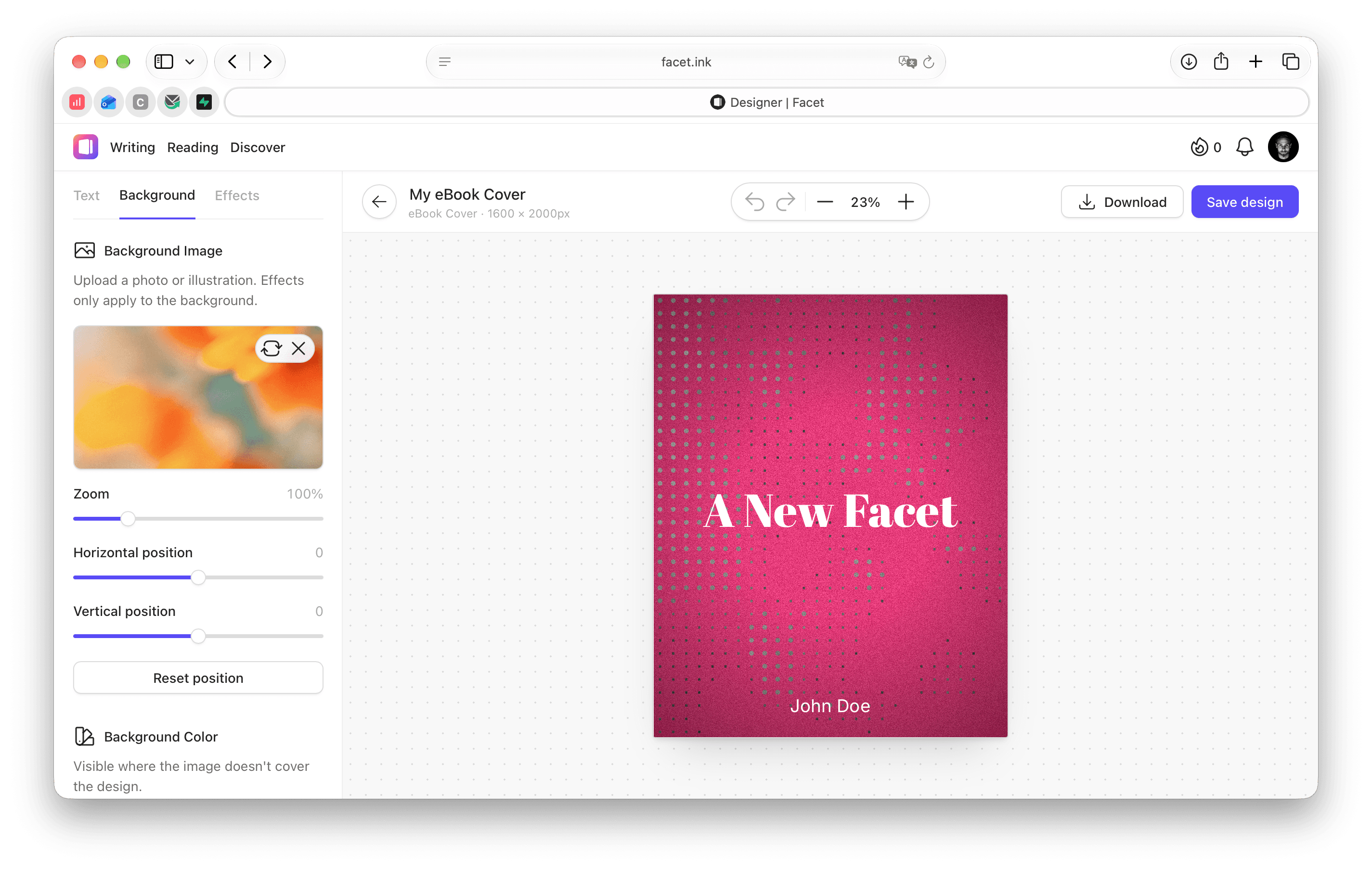
Design eye-catching eBook covers and essay hero images right in your browser. Pick a photo, set your title, add a little retro magic — done. No design skills, no extra software.
- Free to use
- No account needed
- Full resolution download
Take it for a spin. Right here.
This is the real rendering engine of the cover designer. Type a title, switch fonts and effects or upload one of your own photos — it never leaves your browser.
Small tool. Big personality.
Three tabs — Text, Background and Effects — give you everything you need for a great cover, and nothing that gets in your way.
Type that fits your story
Place titles, subtitles and your name anywhere on the artboard. Drag, resize and rotate them right on the canvas, then tune weight, spacing, color and shadow.
Your photo, perfectly framed
Upload any photo or illustration — large images are scaled down automatically. Zoom in and shift it until the frame is just right.
7 presets, 9 retro palettes
Duotone, dithering, pixel art, ASCII, film grain, scanlines and vignettes.
Experiment fearlessly
Every change can be undone. Go wild, step back, try again.
100undo stepsCrisp, full resolution
Your design is rendered in full size and downloaded as a JPEG.
A standalone tool that feels right at home.
Use the cover designer on its own, no strings attached. Or create a free Facet account and every design is saved to your library — ready to become the cover of your next book or the hero image of your next essay.
- DesignCreate your cover in the designer — with or without an account.
- SaveWith a Facet account, every design lands in your personal library.
- PickChoose it in your book's cover settings or right on your essay page.
- PublishYour cover goes live together with your writing.
Try it now
Open the designer and start creating. Perfect for a quick cover.
- All text, background and effect tools
- eBook covers and essay hero images
- Download as JPEG in full resolution
- Save designs to edit them later
Design, save, publish
Your designs become part of your writing workflow.
- Everything without an account
- Save designs and edit them anytime
- Use a design as book cover or essay hero in one click
- Write, publish and sell your work on Facet
Moves like a real design tool.
Select a text on the canvas and use the shortcuts you already know. Go ahead — press one.
- ⌘ZUndo
- ⇧⌘ZRedo
- ⌘DDuplicate text
- ←↑↓→Nudge by 1px, hold ⇧ for 10px
- ↵Edit the selected text
- ⌫Delete the selected text
- ⌘+−Zoom in and out
- ⌘0Fit to screen
Your story deserves a great cover.
Open the cover designer and create yours in minutes — right in your browser.